


Quick Answer
Each print color can cost more because it often requires more production work. In screen printing, each color may need its own screen, ink setup, alignment, test prints, and cleanup. Multi-color printing can also require more time to make sure each color lands in the right place. The extra cost is not just for more ink. It helps cover real setup, labor, materials, equipment, and quality control.
When customers see an extra charge for each print color, it can feel confusing. After all, a logo might look simple on a computer screen. Why should adding a second or third color change the price?
The answer is that physical product decoration is not the same as printing an image on a home printer. In many decoration methods, each color can add another layer of production work.
For screen printing especially, a one-color logo may be fairly straightforward. A three-color logo may require three screens, three ink setups, more test prints, more alignment, more production checks, and more cleanup. Tiny registration gremlins suddenly get invited to the party, and they are fussy little creatures.
This guide explains why each print color can cost more, why setup fees are real, and when a full color method may be a better option than adding more spot colors.
You do not have to calculate this yourself
Purple Pie Promos reviews your artwork, product, imprint area, and decoration options before production. If your logo has multiple colors and another method would make more sense, such as a transfer, full color digital print, decal, DTF, or DTG, we can help guide you before the order moves forward.
Why Print Colors Affect Price
Each print color can affect price because each color may need its own preparation and production step.
In screen printing, the artwork is often separated by color. Each color may need a separate screen. Each screen must be prepared, set up, aligned, tested, printed, cleaned, and reclaimed after use.
That means the cost is not only about ink. It is about the full process required to print that color correctly.
What Each Extra Print Color Can Add
More colors can mean more setup, more alignment, and more quality control.
Artwork Prep
The design may need to be separated into individual color layers.
More Screens
Each color may require its own prepared screen or stencil.
More Ink Setup
Each color may need ink selection, mixing, handling, and cleanup.
More Alignment
Multiple colors must be registered so each layer lands correctly.
More Test Prints
Printers may need test prints and adjustments before the order runs.
More Cleanup
More colors often mean more screens, tools, and ink to clean afterward.
One-Color Printing Is Usually Simpler
A one-color imprint is often the simplest version of screen printing. There is one color layer, one ink color, and usually one screen to prepare and align.
This is why one-color logos are common on many promotional products. They are clean, efficient, and often budget-friendly.
A simple one-color logo can also be easier to read on smaller imprint areas, especially on products like tote bags, pens, apparel, drinkware, notebooks, and giveaways.
One-Color Printing
Simple artwork often means a simpler production path.
Multi-Color Printing Adds More Steps
Multi-color screen printing is more involved because each color layer has to work with the others.
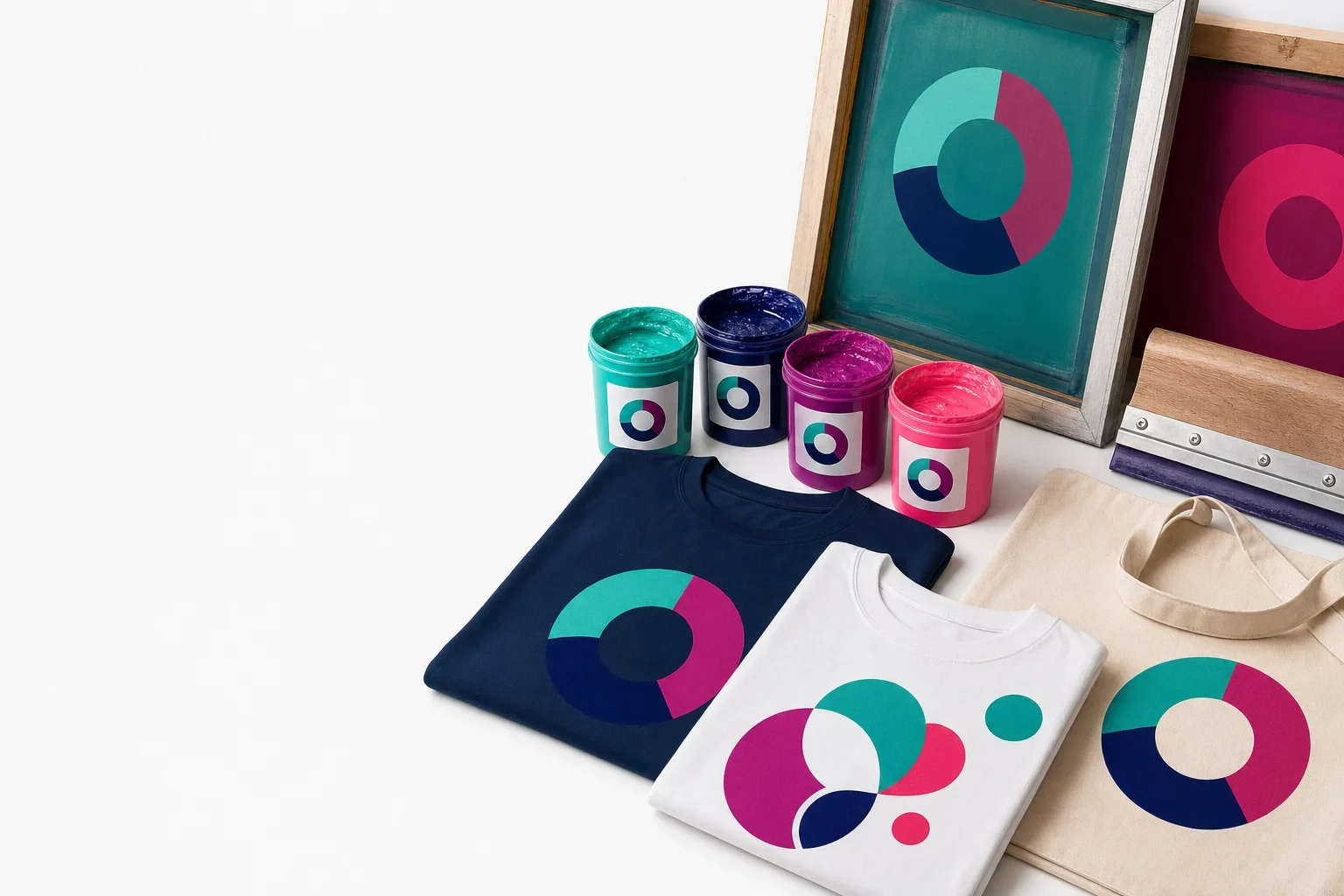
If a logo has navy, teal, and pink, those colors may be printed separately. The navy part of the design prints from one screen. The teal part prints from another. The pink part prints from another. Each screen must be set up so all the colors line up properly.
This alignment process is called registration. If the screens are slightly off, the design can look blurry, shifted, or messy. That is why multi-color printing takes more care.
Multi-Color Printing
Each color layer must be prepared and aligned with the others.

What Is Registration?
Registration is the process of lining up each color so the final design prints correctly.
For example, if a logo has a navy circle, teal icon, and pink accent, each part may print separately. The screens must be positioned so the teal and pink areas land exactly where they belong inside or beside the navy shape.
The more precise the artwork is, the more important registration becomes. Outlines, small gaps, tight borders, shadows, and layered artwork can all require more careful alignment.
Helpful way to think about it
One color only has to line up with the product. Multiple colors have to line up with the product and with each other.
Why Screens and Setup Fees Are Real
For screen printing, each screen is a physical production tool. It is not a digital checkbox.
A screen has to be prepared before printing. The mesh may need to be coated with emulsion, imaged or exposed with the artwork, washed out, dried, inspected, mounted on press, aligned, used, cleaned, and eventually reclaimed so the frame can be reused.
If a design has three colors, there may be three screens going through that process. That is real production work, not a money grab.
For a deeper explanation, read our guide on what a screen is in screen printing.
Why Setup Is Real Production Work
A print color may require work before, during, and after printing.
Before Printing
Artwork separation, screen coating, imaging, washout, drying, and inspection.
During Setup
Mounting screens, aligning colors, test printing, adjusting, and checking placement.
During Production
Printing each color consistently across the order.
After Printing
Cleaning ink, reclaiming screens, washing tools, and preparing equipment for future jobs.
Why Ink Color Matching Can Add Work
Ink color can also affect production. A basic stock color may be simpler than a custom-matched brand color.
If your logo requires a specific shade, the decorator may need to choose, mix, or match ink more carefully. Brand color expectations can add review time, proofing considerations, and production attention.
Color can also look different depending on the product material. The same ink may appear slightly different on a white cotton shirt, natural canvas tote, navy hoodie, plastic bottle, or textured cooler bag.
Why Ink Color Is Not Always Simple
Color results can depend on ink, product material, and production process.
Stock Colors
Standard ink colors are usually simpler to produce.
Brand Colors
Specific color expectations may require closer review or matching.
Product Color
The item color can affect how the printed ink appears.
Material Texture
Fabric, canvas, plastic, metal, and coated surfaces all affect the final look.
Why Dark Products Can Cost More to Print
Dark products can require extra steps because the print colors need enough opacity to stand out.
On a dark shirt, a bright logo may need a white underbase before the other colors are printed. That white base helps the colors appear brighter and more accurate. Without it, the shirt color may show through and dull the design.
An underbase can behave like an additional print layer, which may add setup, ink, alignment, and production time.
For more detail, read our guide on why dark shirts cost more to print.
Dark Shirt Example
A colorful design on a dark garment may need an extra base layer.
Why Some Products Limit the Number of Print Colors
Some promotional products only allow a 1-color screen print. Others may allow two colors, three colors, or more. Some may not allow multi-color screen printing at all.
These limits often come from the product itself. Shape, material, texture, imprint area, decoration equipment, and supplier capabilities all affect what is possible.
A flat t-shirt may support a different screen print setup than a textured cooler, curved bottle, narrow pen, or small bag pocket.
If the product only allows a 1-color screen print but your logo needs multiple colors, a transfer, full color digital print, decal, or another method may be the better choice.
Why Color Limits Happen
Product-specific decoration limits can affect how many colors are available.
Shape
Curved or irregular items may be harder to print in multiple colors.
Material
Fabric, plastic, metal, silicone, and coated surfaces all decorate differently.
Imprint Area
Small imprint areas can limit detail and color registration.
Equipment
Not every product is decorated with the same press, process, or setup.

Why Small Orders Feel More Affected by Setup Fees
Setup work happens whether the order is small or large.
If a screen needs to be prepared for a 24-piece order, that setup is spread across 24 pieces. If the same screen is used for a 500-piece order, the setup is spread across 500 pieces.
This is why each print color can feel especially expensive on small orders. The setup work is real, but there are fewer items to absorb the cost.
Setup Cost and Quantity
The same setup work feels different depending on how many items are ordered.
Small Quantity
- Setup spread across fewer pieces
- Each color has a bigger per-item impact
- Multi-color screen printing may feel expensive
- Full color transfer may be worth considering
Larger Quantity
- Setup spread across more pieces
- Per-item impact is lower
- Screen printing can become more efficient
- Simple spot-color designs often work well
When More Print Colors Make Sense
More print colors can be worth it when the colors are important to the brand, the order quantity is large enough, and the product supports the method well.
If a logo depends on two or three distinct brand colors, a multi-color screen print may be the right choice on compatible products. This can be especially true for larger apparel orders, event merchandise, uniforms, and products where the design needs a bold spot-color look.
The key is making sure the added colors actually improve the finished product enough to justify the added setup and production work.
When a Full Color Method May Be Smarter
If your logo has many colors, gradients, shadows, photographs, or detailed artwork, a full color method may be more practical than adding more spot colors one at a time.
Depending on the product, that might mean full color digital printing, full color transfer, DTF, DTG, sublimation, or a decal.
This is especially common when a product only allows a 1-color screen print but can support a full color transfer. In that case, the transfer option may be what makes the colorful logo possible.
For more detail, read our guides on screen printing vs transfers and full color digital vs full color transfer.
Helpful way to think about it
If your logo has two or three clean solid colors, multi-color screen printing may make sense. If it has many colors, gradients, or photo-like detail, a full color method may be a better path.
Can I Save Money by Using Fewer Colors?
Often, yes. Simplifying a logo to one color can reduce setup and production complexity, especially for screen printing.
A one-color version of a logo can still look strong, professional, and brand-consistent. Many companies use one-color versions of their logo for screen printing, embroidery, engraving, debossing, and other physical decoration methods.
Simplifying does not mean cheapening the brand. Sometimes the one-color version is the cleanest version for promotional products.
Ways to Reduce Print Color Cost
A cleaner design can sometimes create a better and more budget-friendly imprint.
Use One Color
A one-color logo is often simpler and more cost-effective to screen print.
Remove Gradients
Convert soft fades into solid artwork when screen printing is preferred.
Simplify Details
Remove tiny text or fine lines that may not reproduce clearly.
Consider Full Color
For complex artwork, a full color method may be more practical than many spot colors.
Common Mistakes With Print Colors
Most print color confusion happens when artwork designed for screens is applied to physical products without adjustment.
- Assuming a full color logo can always be screen printed for the same cost as one color
- Forgetting that each screen print color may require its own setup
- Choosing many colors on a small order where setup has a larger per-piece impact
- Expecting gradients or shadows to behave like solid ink colors
- Using tiny details that make multi-color registration harder
- Ignoring that some products only allow a 1-color screen print
- Choosing multi-color screen printing when a transfer or digital print would reproduce the art better
- Assuming setup fees are just a money grab instead of real production work
Print Color Cost Checklist
Before choosing multiple print colors, use this checklist to understand what affects the cost.
Print Color Cost Checklist
A good decoration choice balances logo accuracy, product limits, and production cost.
Color Count
How many solid print colors does the logo need?
Product Limits
Does the product support one color, multiple colors, or full color decoration?
Setup
Will each color require a separate screen, setup, or production step?
Registration
Do the colors need to line up precisely with small details or outlines?
Quantity
Is the order large enough for multi-color screen printing to make sense?
Alternate Methods
Would a transfer, digital print, decal, or other full color method work better?
The Bottom Line
Each print color can cost more because each color may add real production work. In screen printing, that can mean additional artwork separation, screens, ink setup, registration, test prints, production time, cleanup, and quality control.
Extra color charges are not just about the price of ink. They reflect the time and process needed to print each color correctly.
If your logo has many colors or detailed artwork, another method may be better than adding more screen print colors. Purple Pie Promos can review your artwork, product, and decoration options before production to help determine the best path.
More print colors usually mean more production steps
A one-color imprint is often simpler. A multi-color imprint may require more screens, alignment, testing, ink handling, and cleanup.
The right choice is not always the most colorful option. It is the method that gives your logo the best result on the product.
Need help choosing the right number of print colors?
Purple Pie Promos can review your logo, product, color count, imprint area, and decoration options to help determine whether one-color printing, multi-color printing, full color transfer, digital print, or another method makes the most sense.
Request Print Color Help